GTM
Google Tag Manager
For any website that already uses GTM. The container is served from the client's own subdomain (server.yourdomain.com), with an HTTPS certificate issued automatically.
Proprietary server-side tracking
Roasync sends your conversions to Meta from the server, through the Conversions API, and adds what happens after the form: appointments, visits and sales recorded in the CRM. So your campaigns learn from the people who actually become customers. Even in healthcare, with compliant events only.
1-week free trial, with guided setup.
If the last event Meta receives is the Lead, the algorithm looks for people who fill out forms. But a filled form is not a customer: some never pick up the phone, some never show up, some never buy. With Roasync, Meta also receives what happens next, with its value.
“Bring me more people who fill out the form.”
“Bring me more people like these: they booked, they showed up, they paid.”
Example: out of 100 leads, 12 become customers. Without CRM data, Meta learns from the 100. With Roasync, it learns from the 12.
Pick the method that fits the client: Google Tag Manager, the WordPress plugin or the Next.js package. Tracking runs on a subdomain of the client's own domain, for example server.yourdomain.com.
Rules are set from the panel, without touching the website: which event to send, under which name and with which value. Cookie consent is respected and duplicates are dropped.
When a lead books, shows up or pays, the CRM tells Roasync through a webhook and the event reaches Meta with its value. This is where the algorithm starts looking for customers.
Every client runs a different stack. Pick the method in the panel and follow the guide, step by step.
For any website that already uses GTM. The container is served from the client's own subdomain (server.yourdomain.com), with an HTTPS certificate issued automatically.
On the website you only paste a token: everything else is configured from the panel. It tracks WooCommerce events, from product view to purchase, and leads from the most common form plugins: Contact Form 7, WPForms, Gravity Forms, Elementor Pro, Fluent Forms.
For landing pages built with Next.js, including on Cloudflare Pages. One component in the layout and one route: the token stays on the server and never reaches the browser.
Offline conversions arrive through a signed webhook. Compatible with GoHighLevel and with any CRM that can send a webhook. It also supports Click-to-WhatsApp campaigns, when the CRM passes the click identifier (ctwa_clid).
Not the one installing it? From the panel you copy ready-made instructions, filled in with the client's details, and hand them to the developer.
The plugin and the package are included: you get them from us when your account is activated.
A separate workspace for each client, with tags, notes and search to find them fast.
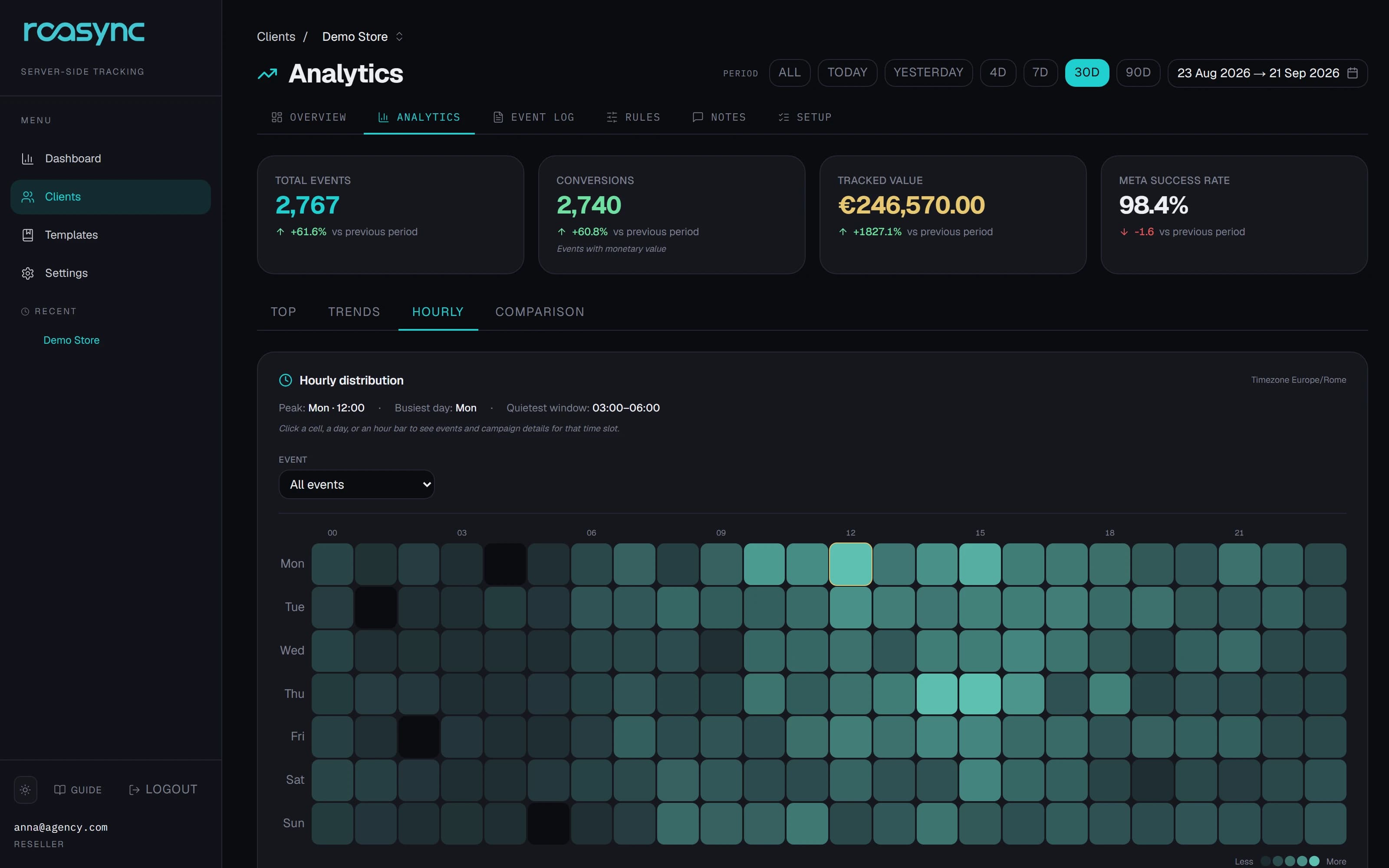
For each client you see events, conversions and tracked value, compared with the previous period. Then you drill down: campaign, ad set, creative, placement.
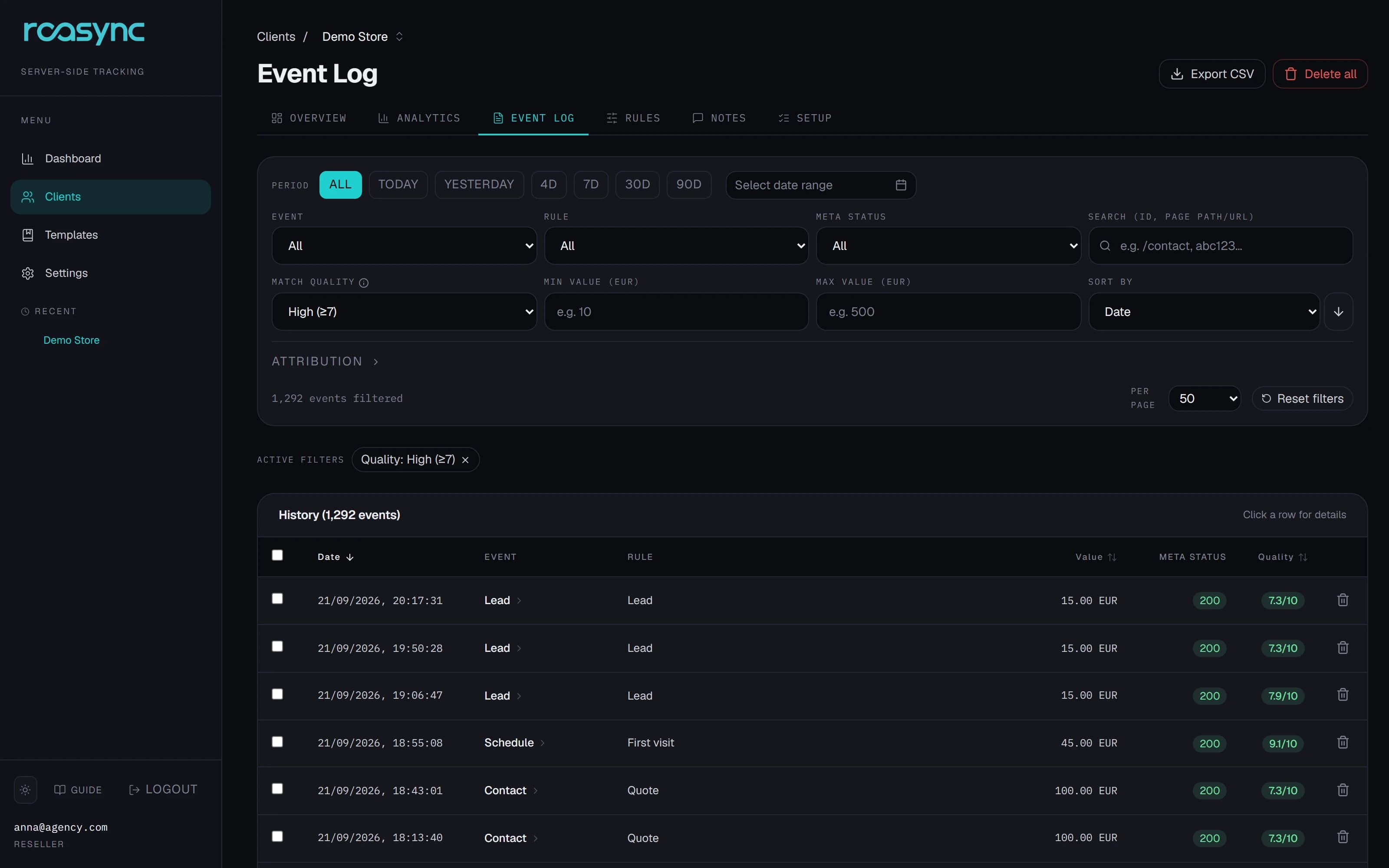
Watch events come in live. For each one: the rule that handled it, the parameters sent, the outcome and Meta's response. If something goes wrong, you see it right away and you know why.
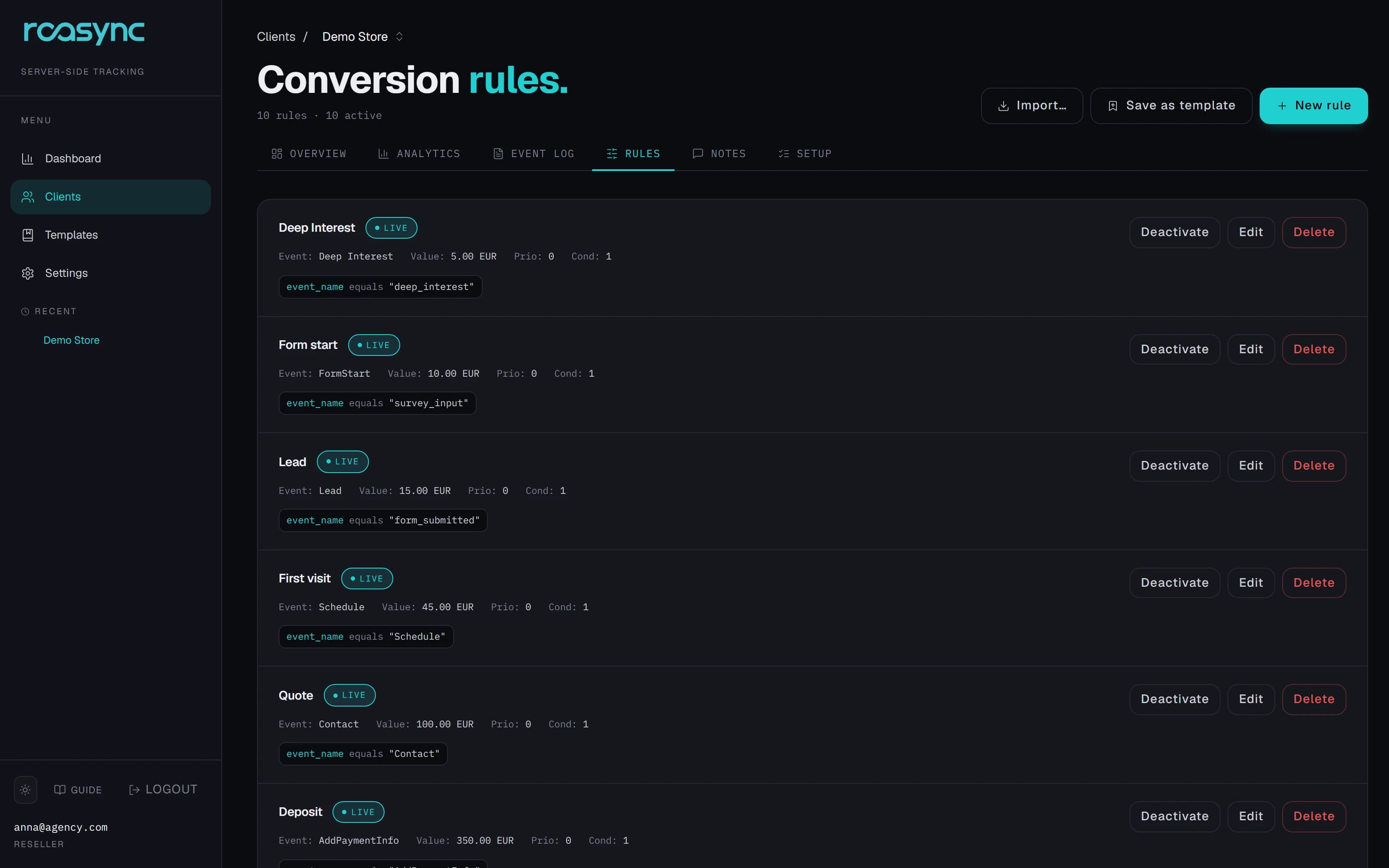
Rules are built in the panel: conditions, event to send, value and currency. You test them on a sample event before turning them on, without touching the client's website.
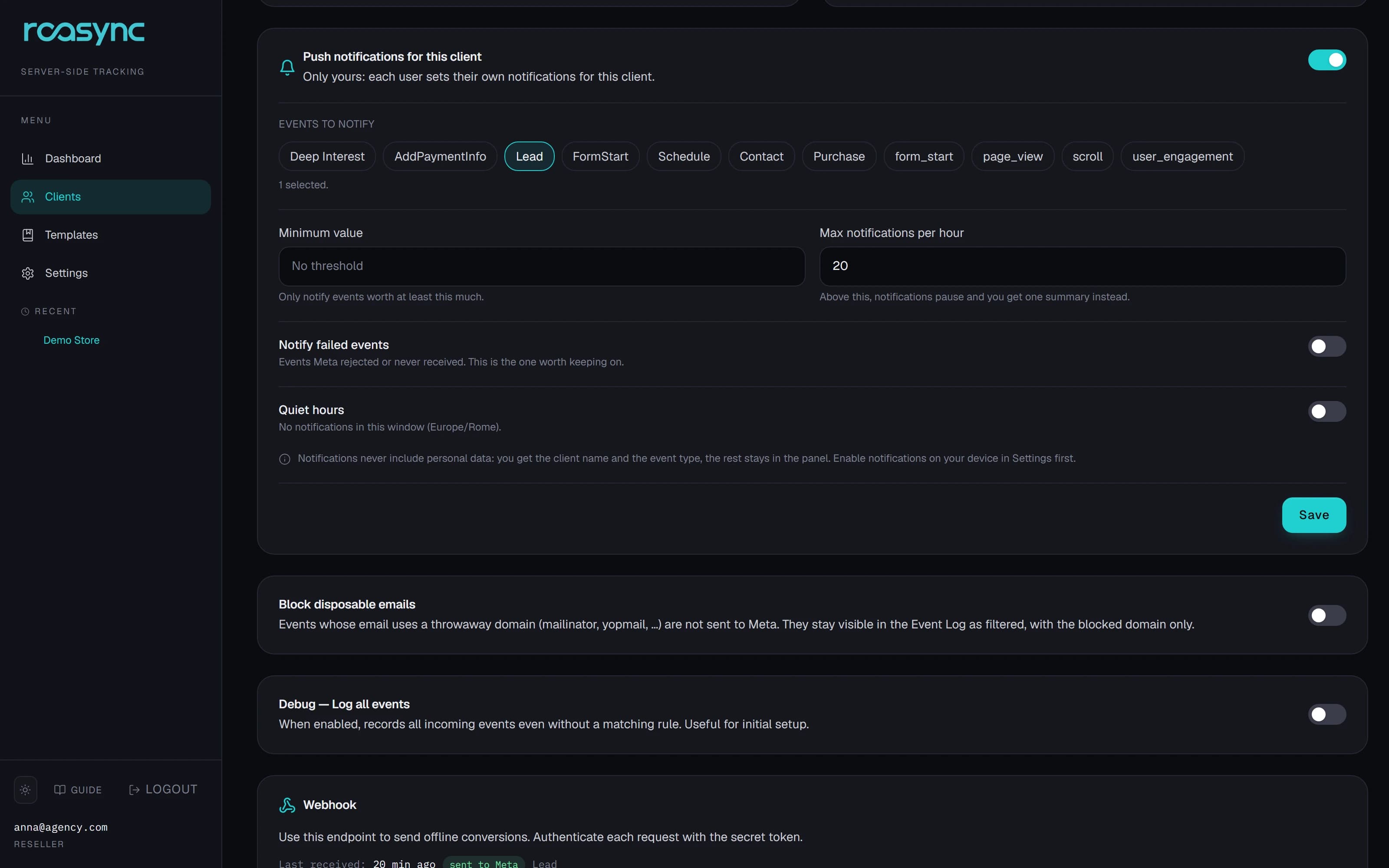
Push notifications on your phone or computer, set client by client: a purchase above a certain amount, a new lead, an event Meta rejected.
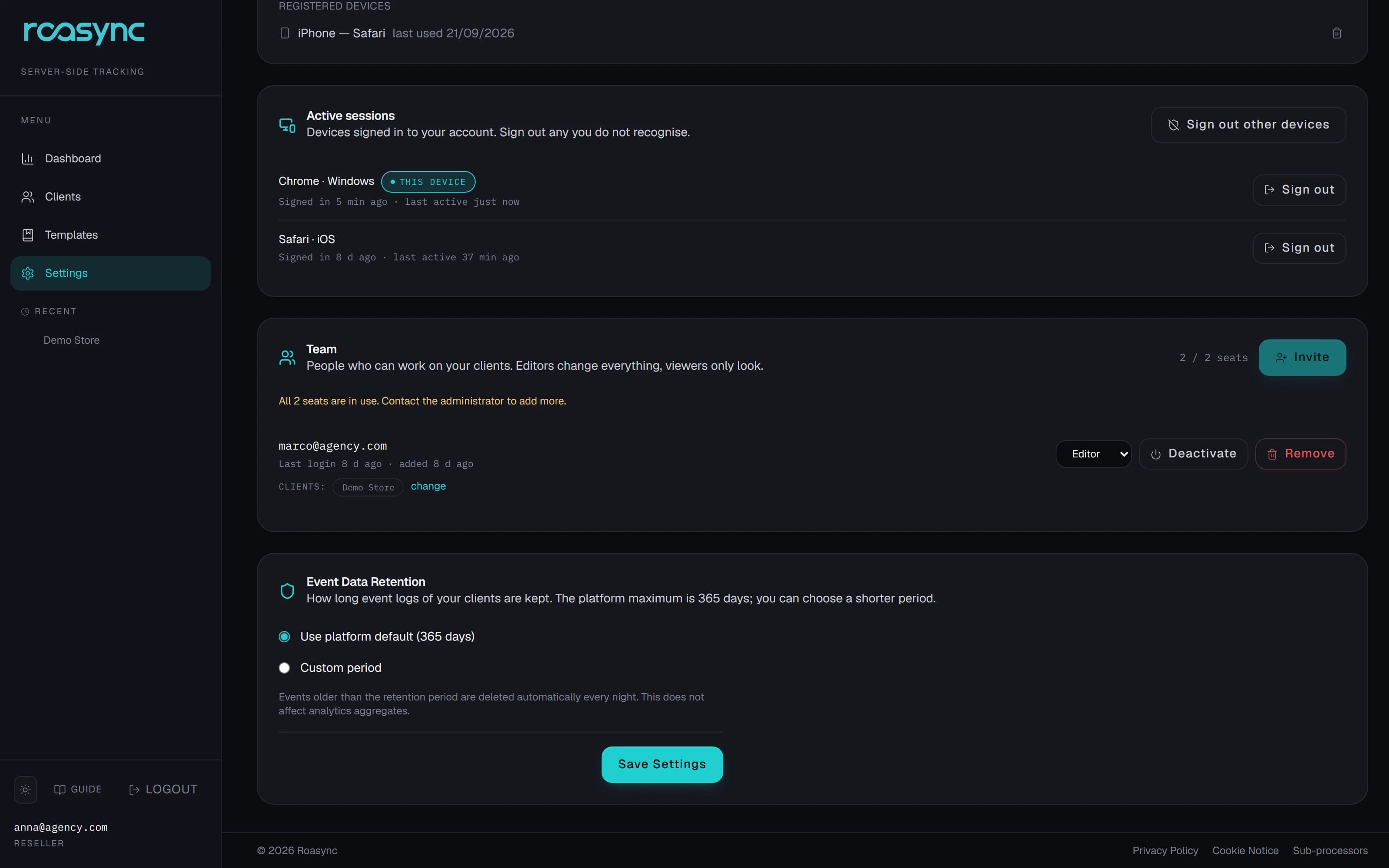
Invite colleagues and partners with two roles: Editor, who can change things, and Viewer, who can only look. For each person you choose which clients they see, so you can give read-only access to the client too.
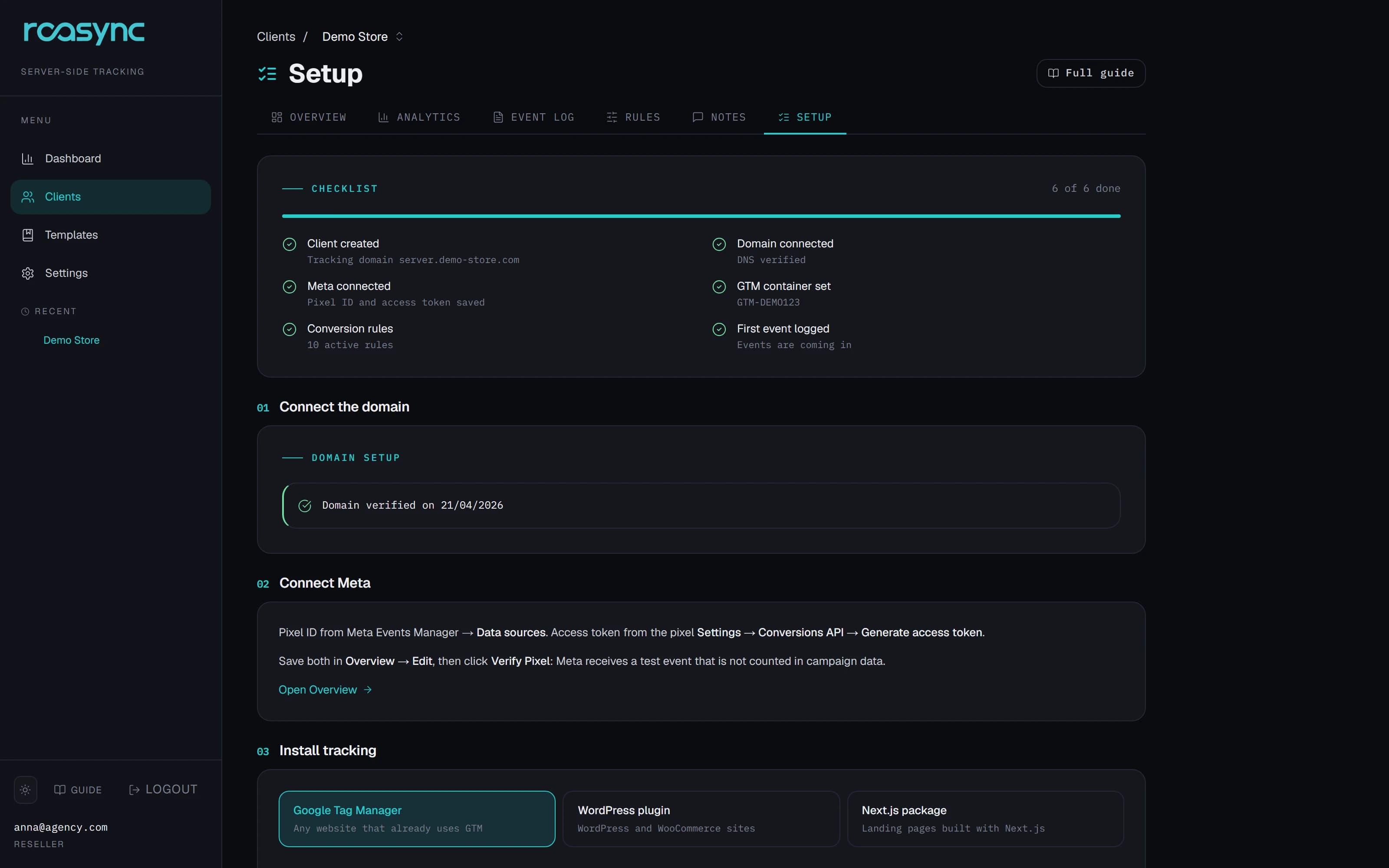
Each client has a checklist that updates itself: domain connected, Meta connected, tracking installed, rules live, first event received. The instructions already contain the right domain and token.
When Meta classifies a data source as health-related, it limits lower-funnel events such as Lead, Schedule and Purchase. The result: campaigns that fall back on clicks and views, or on native lead forms, with lower-quality leads.
Roasync works as a compliance layer: Meta receives only compliant events, with sensitive data removed before transmission. So you keep optimizing on landing pages and CRM outcomes.
Events carry no health information: Meta receives only what its rules allow.
Page addresses are stripped of their parameters before sending, and only the expected fields go through.
Before going live, we check the healthcare client's configuration with you.
Roasync is not a tool to bypass Meta's policies. If Meta applies full restrictions to a data source, blocking all events, no tracking solution can get them through.
Hair Port Clinic, hair transplants in Rome. Healthcare sector, Meta restrictions active, same ads and same budget.
Before integrating Roasync we optimized our Meta campaigns on generated leads only. The result? Hundreds of contacts, but too many were off-target, never answered the phone or didn't show up for appointments, burning through precious budget.
By sending Meta the offline data on completed transplants and the real deposits paid from our CRM, the algorithm understood exactly who to look for. In just 30 days we stopped buying useless clicks and started acquiring high-spending patients with surgical precision.
Results depend on the account and are not guaranteed.
Infrastructure hosted in the European Union, GDPR-aligned service.
Before sending, personal data is handled the way Meta's Conversions API requires.
The event log holds no emails or phone numbers: only whether the parameter was present.
You choose how long events are kept, within the platform limit. After that they are deleted automatically.
Tracking follows the visitor's cookie choice and recognizes the main consent banners, including Iubenda, Complianz and CookieYes.
Two-factor authentication, revocable sessions and an email alert on suspicious sign-ins.
It can work both ways. With the WordPress plugin and the Next.js package, events are sent from the server only, with no Pixel in the browser. With Google Tag Manager you can keep the Pixel alongside the Conversions API: events share the same identifier, so Meta counts the conversion once.
No, and no tracking solution can promise that. Sending from the server does not depend on the Pixel in the browser, so it recovers a share of the conversions hidden by ad blockers, iOS limits and lost cookies. Events coming from the CRM, on the other hand, never go through the browser at all.
Roasync works as a compliance layer: it sends Meta only compliant events, with sensitive data removed before transmission. It is not a tool to bypass the policies. If Meta applies full restrictions to a data source, blocking all events, no tool can get them through.
Any CRM or back-office that can send a webhook. The format is already compatible with GoHighLevel. The webhook is signed, and the panel always shows the date and outcome of the last one received.
It depends on the website. There are five steps: connect the domain, connect Meta, install tracking, turn on the rules, run a test. The checklist in the panel tells you where you are, and on your first clients we do the configuration together. The only wait outside your control is DNS propagation, which can take up to 24 hours.
The infrastructure is in the European Union. Events are kept for the period you choose, within the platform limit, then deleted automatically. Personal data is sent to Meta in the format the Conversions API requires, and it never appears in plain text in the event log.
Yes. Each person you invite has a role, Editor or Viewer, and sees only the clients you choose. Viewers browse Analytics and the Event Log and cannot change anything.
Today Roasync sends events to Meta. Integration with Google Ads and TikTok is planned.
It starts with a 30-minute call: we walk you through a real case and see whether Roasync is a fit. If it is, we activate your 1-week free trial on your domain, with guided setup.
1-week free trial
Campaigns optimize on the data they receive. It starts with a 30-minute call: we walk you through a real case and, if it's a fit, we activate a 1-week trial on your domain.
info@roasync.io